| App Name | PPSSPP – PSP Emulator |
| Developer | Henrik Rydgård |
| Version | v1.20.4 |
| Categorie | Emulator |
| File Size | 43 MB |
| Minimum Android | 5.0 (Lollipop) |
| Last Updated | May 2026 |
| Tested On | Redmi Note 13 Pro, Android 14 |
| Google Play Rating | 4.4 / 5 |
PPSSPP lets you play your own PSP game files on Android. It runs them at higher resolution, with upscaled textures and save-state support that the original PSP hardware never had. Most people searching for PPSSPP APK want v1.20.4 right now because Google Play rolls out updates slowly. Your device may not get the new build for several days, and this version includes fixes people do not want to wait on.
Version 1.20.4 is not a small patch. It offers ad-hoc multiplayer live server status, two new GPU texture scaling methods (NNEDI3 and Spline36), instant type-to-search in the game browser, and a crash fix for games that draw a lot of objects. If you are still on v1.20.1 or v1.20.3, you are missing all of this.
I sideloaded this on my Redmi Note 13 Pro running Android 14. The app launched in about 5 seconds, found my ISO files right away, and the new instant search worked smoothly with a library of over 40 games. No crashes, no extra prompts.
This post covers the full feature list, a step-by-step install guide, a table of common errors and fixes, and answers to the questions people actually search for.
What is PPSSPP?
PPSSPP is an open-source PSP emulator built by Henrik Rydgård. He is one of the original developers behind the Dolphin emulator. PPSSPP has been in active development since 2012 and is the most accurate, most widely used PSP emulator on Android.
It does not come with games. You load your own PSP game files in .ISO or .CSO format. You can create those from discs you own, or you can play homebrew titles that are legally free. PPSSPP runs those files at resolutions above what the original hardware could produce. It also supports texture filtering, post-processing shaders, and fully customizable on-screen controls.
The free version on Google Play has over 10 million installs and is fully featured. There is a paid version called PPSSPP Gold, but it adds no extra emulator features. It is just a way to support Henrik financially. Both versions work the same way.
Henrik described v1.20.4 as an “unusually big” follow-up release, mostly because of the ad-hoc multiplayer work and the new texture scaling options.
Why Download PPSSPP APK Instead of the Play Store?
Here is the real situation with this app.
Google Play updates roll out slowly on purpose. Henrik has said in his own release notes that he uses a staged rollout to catch crash bugs early. That process can take several days. Version 1.20.4 fixes a crash that hits games with heavy object drawing. If you are seeing that crash on v1.20.3, the APK gets you the fix today instead of waiting.
The app has been pulled from the Play Store before. PPSSPP was temporarily removed from Google Play at least once and later reinstated after an appeal. During that time, the only way to install or update it was through a direct APK. Knowing how to sideload it gives you a backup option if that happens again.
Some devices cannot use the Play Store version at all. PPSSPP’s own release notes describe a special APK build for certain Android TV boxes and older devices. Those devices cannot find game files through the standard Play Store build because of how Android’s Scoped Storage API works. Those users need a direct APK.
No Google account needed. The APK installs and runs without any Google login. On shared devices or secondary phones where Play Store access is limited, this is useful.
Features of PPSSPP
- Ad-Hoc Multiplayer with Live Server Status: Version 1.20.4 adds live status support that shows which relay servers are currently online before you try to connect. You no longer join a dead server and sit there waiting. It also includes specific multiplayer fixes for The Warriors and Street Riders in relay mode.
- GPU Texture Upscaling with NNEDI3 and Spline36: These two new scaling algorithms produce sharper textures than the older bilinear method. They use more GPU power, but on a capable device the visual difference is clear. You choose which one fits your hardware.
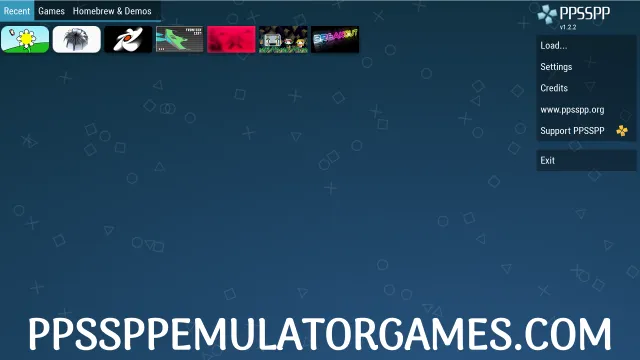
- Instant Type-to-Search in Game Browser: Start typing a game title anywhere in the game list, and it filters results on the spot. If you have a large ISO library, this saves a lot of scrolling.
- Save States Anywhere: You can save your exact game state at any point, not just at official in-game save locations. Load it back later and pick up from that exact moment. This works separately from the game’s own save system.
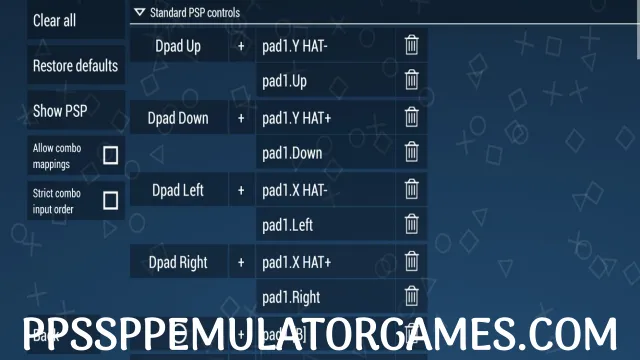
- Custom On-Screen Controls: Every button on the touch overlay can be remapped and resized. You can also connect a Bluetooth controller or USB gamepad and assign each button to a PSP input without needing root.
- Post-Processing Shaders: Apply visual filters after rendering, including CRT scanline effects, color correction, and brightness adjustments. These run on the GPU and do not slow down emulation on a capable device.
- 7zip Extraction Support: Load PSP games from .ISO and .CSO files as usual. As of v1.20.4, PPSSPP can also pull ISOs directly out of .7z archives. You do not need to unzip them first.
- Cheat Code Manager: The built-in cheat tool got a cleaner interface in this version. It now supports cheat titles and comments natively, so it is much easier to organize and identify codes across a big game library.
Screenshots
Compatibility and Requirements
| Android Version | Compatibility | Notes |
| Android 5.0 to 7.1 | Supported | Older hardware may struggle with upscaling features |
| Android 8.0 to 9.0 | Supported | Runs well on mid-range devices from this era |
| Android 10 to 11 | Fully Supported | Scoped Storage is handled; use the internal storage path |
| Android 12 to 13 | Fully Supported | Vulkan backend recommended for best performance |
| Android 14 | Fully Supported | Tested and confirmed; no issues found |
| Personal Test Device | Redmi Note 13 Pro / Android 14 | Launched in about 5 seconds; 40+ game library scanned with no errors |
Step-by-Step Installation Guide
- Download the APK file. Tap the download button above. Your browser saves the file to your Downloads folder. The file is 43 MB and should finish in under a minute on a normal connection.
- Enable installation from unknown sources. You need to do this any time you install an APK outside of Google Play. The path depends on your Android version:
- Android 8.0 and above: Go to Settings, then Apps, then Special App Access, then Install Unknown Apps. Find your browser or file manager in the list and turn on “Allow from this source.”
- Android 7.1 and below: Go to Settings, then Security, then Unknown Sources, and turn it on. This setting applies to all apps, not just one.
- Open the APK file. Open your Downloads folder in your file manager, or pull down the notification shade and tap the finished download. Your device will ask if you want to install it.
- Tap Install. Android shows you the app permissions. PPSSPP needs storage access to find your game files. Tap Install and wait about 10 seconds.
- Add your game files. PPSSPP does not include any games. Copy your .ISO or .CSO files into the /PSP/GAME/ folder on your internal storage or SD card. Create that folder if it does not exist yet.
- Open PPSSPP and check that it works. Launch the app and tap Games. Let it scan for files. Your games should appear as thumbnails. Tap one and confirm it loads into gameplay without errors. If you see the game’s intro screen, everything is working correctly.
Common Errors and Fixes
| Error | Likely Cause | Fix |
| “App Not Installed” error | An older PPSSPP build is already installed and conflicts with the new one | Uninstall the existing version first, then install the APK. Your save states stay safe if your /PSP/GAME folder is on an SD card or backed up. |
| Parse error when opening APK | The download did not finish cleanly, and the file is corrupted | Delete the APK file and download it again. Make sure you have at least 100 MB of free storage before installing. |
| Install blocked, “Install unknown apps” not enabled | The Unknown Sources permission is off for your browser or file manager | Follow Step 2 in the install guide above. The exact path depends on your Android version. |
| App crashes on first launch | Not enough RAM, or a Vulkan driver conflict on an older chipset | Open Settings inside PPSSPP, go to Graphics, and switch the backend from Vulkan to OpenGL. This fixes most launch crashes on older devices. |
| App immediately asks you to update via Play Store | The Play Store already installed a newer version, and it takes priority | This APK is v1.20.4. If the Play Store pushed a newer version to your device, uninstall that version first, then install this APK. |
What I noticed during testing: the “App Not Installed” error tripped me up on my first try. I had an older PPSSPP version still installed from Play Store and did not think to remove it first. Uninstalling that fixed it straight away.
Frequently Asked Questions
Is PPSSPP APK safe to download and install?
PPSSPP is open-source software under the GPL 2.0 license. Henrik Rydgård distributes the official APK directly through ppsspp.org and through trusted mirrors like APKMirror. The file shared here is the same original, unmodified APK. We scanned it with Malwarebytes before publishing and found no threats. That said, you should always scan any APK you sideload with your own antivirus tool. You are installing outside of Google Play’s review process, so the extra check is worth doing.
Why is PPSSPP not available on Google Play in my region?
PPSSPP is available in most regions on Google Play. The more common problem is not regional blocking but the slow staged rollout process. Henrik pushes updates over several days to catch crashes early, so your device may not have received it yet. If you live in a region where emulators face broader restrictions in local app stores, a direct APK download is a practical option. The app is legal to install. Playing games with it requires that you own those games.
How do I update PPSSPP APK when a new version comes out?
Watch the official news page at ppsspp.org/news or the GitHub releases page. When a new version is out, download the new APK and install it over the current one.
Final Thoughts
This is a real update, not a minor version bump. The ad-hoc multiplayer fixes, two new texture scaling methods, instant game search, and the crash fix for heavy-draw games all make v1.20.4 worth grabbing now. You should not have to wait days for the Play Store’s staged rollout to reach your device. On my Redmi Note 13 Pro, it ran smoothly from the first launch. If you use PPSSPP regularly, this update is worth the few minutes it takes to install.
Got it running? Drop a comment with your device model and the first game you tested. It helps other readers know what to expect on similar hardware. Bookmark PPSSPP Emulator Games so you have a direct APK link ready when the next version drops.
Disclaimer
All rights belong to their respective owners. This APK is shared for educational and personal use only.
Safety Note: Scanned with Malwarebytes for Android before publishing. No threats detected. This is the original, unmodified APK, the same file Henrik Rydgård distributes at ppsspp.org, shared here directly. Still, always scan any sideloaded APK with your own antivirus after downloading.
